
What is a home safety checklist for seniors?
A home safety checklist for seniors is a room-by-room walk-through of the things that most often cause trips and falls at home, each paired with a simple fix. It matters: the CDC reports that more than one in four older adults falls each year (page reviewed 2026). RoomMend turns that walk-through into a fix list you can actually finish.
This is general information, not medical advice. Talk to your clinician.
The room-by-room checklist, from the CDC
These are condensed from the CDC's Check for Safety brochure (2017). The right column is the matching quick note in RoomMend.
| Room | Check | RoomMend note |
|---|---|---|
| Floors | Clear paths; tape or remove throw rugs; coil cords against the wall | Loose rug · Cord across path |
| Stairs | Nothing on the steps; light and switch at top and bottom; handrails on both sides | Too dark · Handrail or grab bar |
| Kitchen | Everyday items about waist high; a step stool with a grab bar, never a chair | Hard to reach |
| Bathroom | Non-slip mat or strips in the tub or shower; grab bars by the tub and toilet | Slippery surface · Handrail or grab bar |
| Bedroom | A lamp within reach of the bed; a nightlight on the way to the bathroom | Too dark |
A checklist finds the problem. A fix list with a date gets it done.
How RoomMend works: three taps, then a recheck
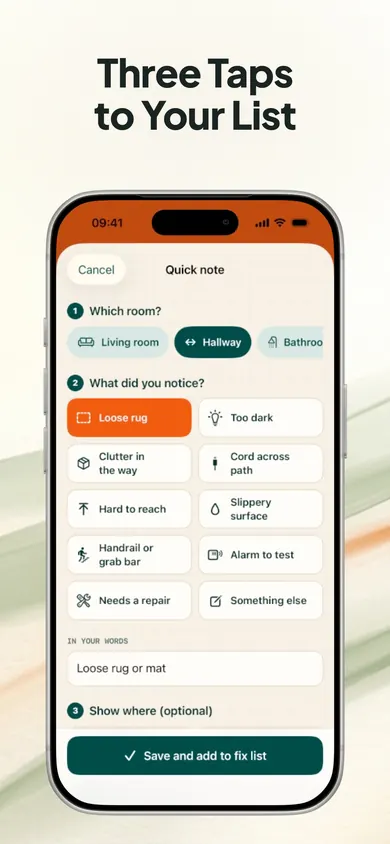
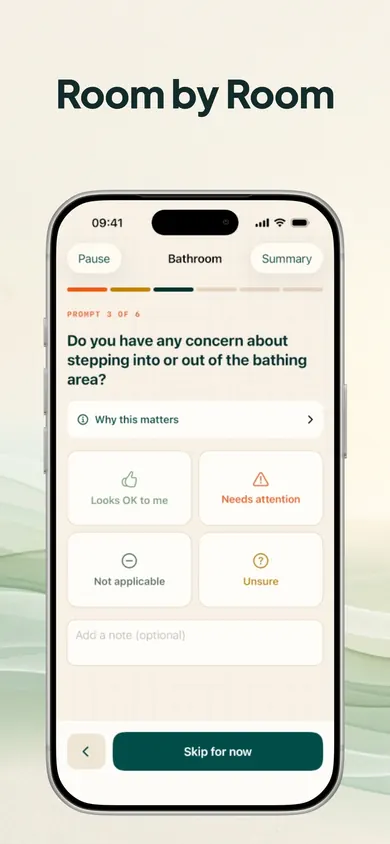
Note it in three taps
Choose the room, tap what you noticed (Loose rug, Too dark, Cord across path, Hard to reach, Alarm to test) and RoomMend suggests the fix. Pick This week, This month or Someday.
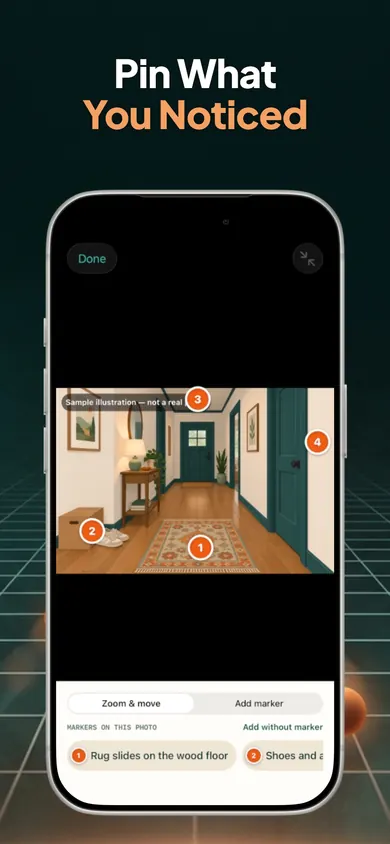
Pin the exact spot
Optionally snap a photo and drop numbered markers. Every marker is also listed as plain text, so it works with VoiceOver and large text.
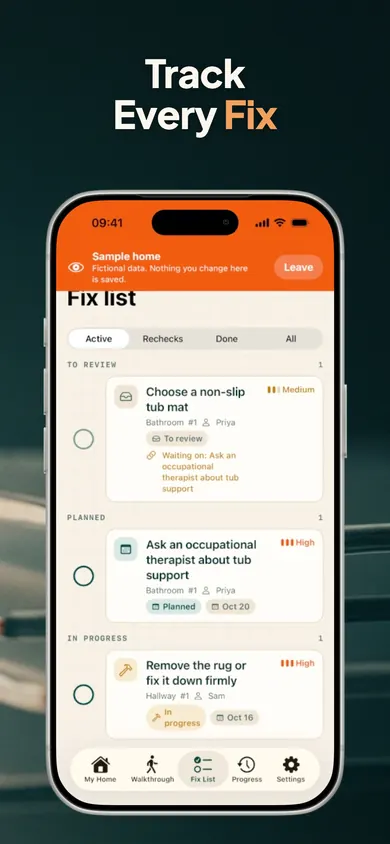
Track it to done, then look again
Fixes move through To review, Planned, In progress, Reported completed, Recheck needed and Reviewed again. Tick one done and RoomMend plans a look-again in 30 days.
Rugs creep back and bulbs burn out. The 30-day recheck is there for exactly that.
Free, with one optional purchase
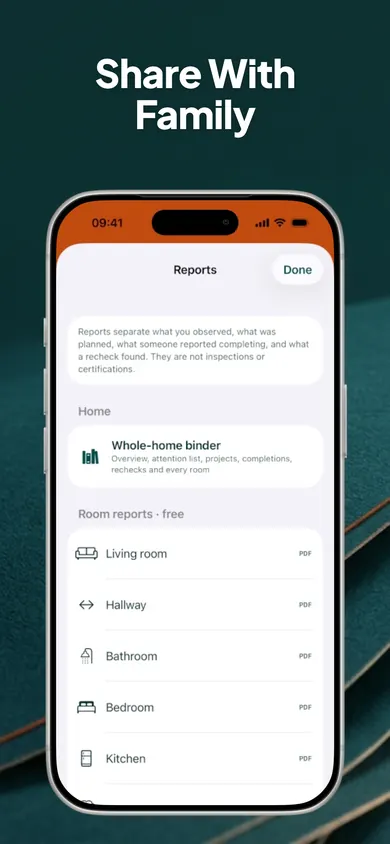
- Free: every room walkthrough, unlimited rooms and notes, the fix list, reminders, rechecks, side-by-side before and after, and a PDF per room.
- RoomMend Plus, one-time: more homes, more photos per room, the whole-home binder PDF, a before/after slider, annotated image export and the full timeline.
A design decision we made
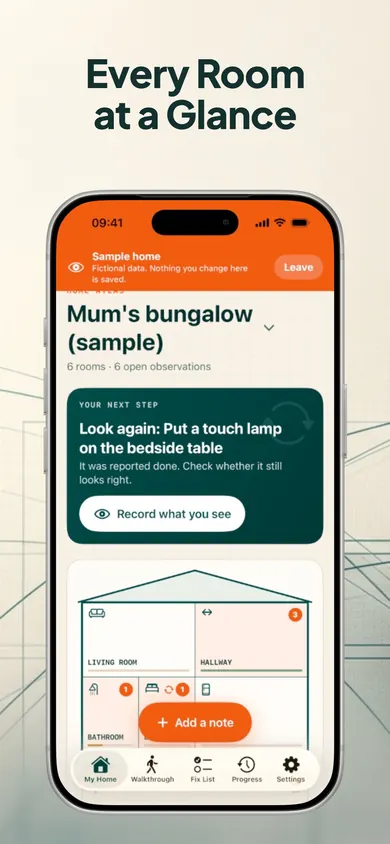
We call the last-but-one status "Reported completed", not "Done". Someone saying the grab bar is in is not the same as seeing it, so the app asks you to look again. Big buttons, plain words and one next step on the home screen are there for the same reason: a list nobody opens fixes nothing.
More screens
Home safety checklist questions
What should be on a home safety checklist for seniors?
The CDC's Check for Safety checklist (2017) goes room by room: clear paths and secured rugs and cords on floors; lights, switches and handrails on stairs; everyday items within reach in the kitchen; non-slip mats and grab bars in the bathroom; and a reachable lamp plus a nightlight in the bedroom.
Is RoomMend free?
Yes. Every walkthrough, unlimited rooms and notes, the fix list, reminders, rechecks, side-by-side compare and room PDFs are free. RoomMend Plus is a one-time purchase that adds more homes, more photos per room, a whole-home binder PDF, a before/after slider, annotated image export and the full timeline. There is no subscription.
Can I use it for my parent's home?
Yes. That is one of the main uses. Set it up as an apartment, a one-floor or a two-floor house, then share the fix list by Messages or email as plain text, or as a PDF for one room.
Does RoomMend find hazards in my photos?
No. Photos are for you: you place numbered markers on the spot you noticed. RoomMend does not detect anything in photos, and it is not a home inspection, safety certification or fall-risk assessment.
Where do the walkthrough questions come from?
From public guidance by the CDC, the National Institute on Aging, NFPA and CPSC. Each question shows why it is asked and where it comes from.
Is my data uploaded anywhere?
No. There is no account, no ads and no analytics. Records and photos stay on your device, everything works offline, and you can add a Face ID lock.
Walk one room this week
Start with the bathroom or the stairs. Three taps per thing you notice.

Updated November 2026
More from RoomMend
- What to do after an elderly parent fallsYour parent fell at home. What to do in the first hour, the first week and the first month, with a free fix-plan calculator for their rooms.
- Where to get a free home safety assessment for seniorsWho offers free home safety assessments for seniors: fire and EMS programs, Area Agencies on Aging, repair nonprofits, plus a check to do tonight.
- Holiday home safety check for parentsHome for the holidays? Walk six spots in a parent's house, front step to night route, with CDC and NIA checks and a 10-minute fix for each.
- Shower chair vs tub transfer bench quizFour questions about a parent's tub, legs and bathroom show whether a shower chair or a tub transfer bench is the one to ask a therapist about.
Related
- What to do after an elderly parent fallsYour parent fell at home. What to do in the first hour, the first week and the first month, with a free fix-plan calculator for their rooms.
- Where to get a free home safety assessment for seniorsWho offers free home safety assessments for seniors: fire and EMS programs, Area Agencies on Aging, repair nonprofits, plus a check to do tonight.
- Holiday home safety check for parentsHome for the holidays? Walk six spots in a parent's house, front step to night route, with CDC and NIA checks and a 10-minute fix for each.
- Shower chair vs tub transfer bench quizFour questions about a parent's tub, legs and bathroom show whether a shower chair or a tub transfer bench is the one to ask a therapist about.