What is a family emergency plan template?
A family emergency plan template is a fill-in-the-blanks list of what a helper would need in a hurry: who to call, each person's health basics, where documents are and what supplies you keep. Family Ready is that template on your iPhone, starting with one free Emergency Card per person and growing into a full household plan when you have time.
Start with the card. Everything else can wait for a quiet Sunday.
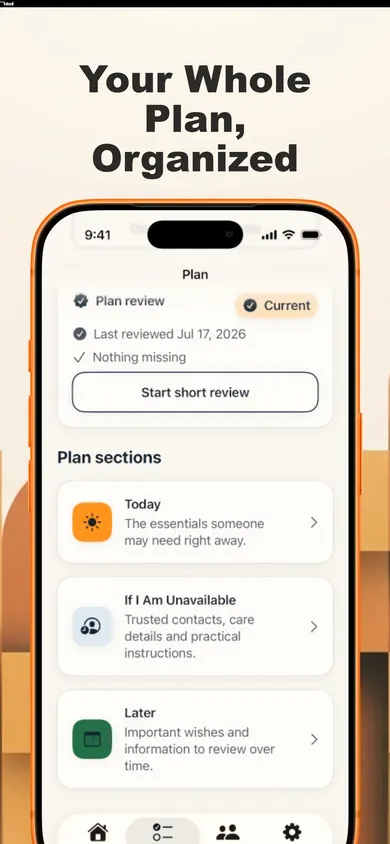
What goes in the plan, section by section
Fill it in any order, skip what does not apply, add detail over time:
| Section | What you write down |
|---|---|
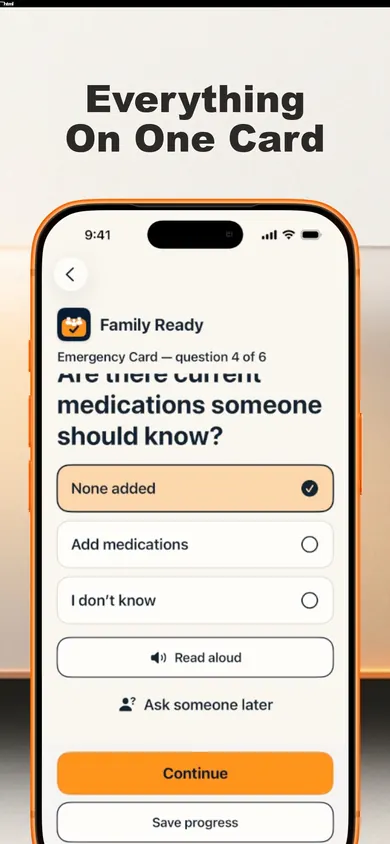
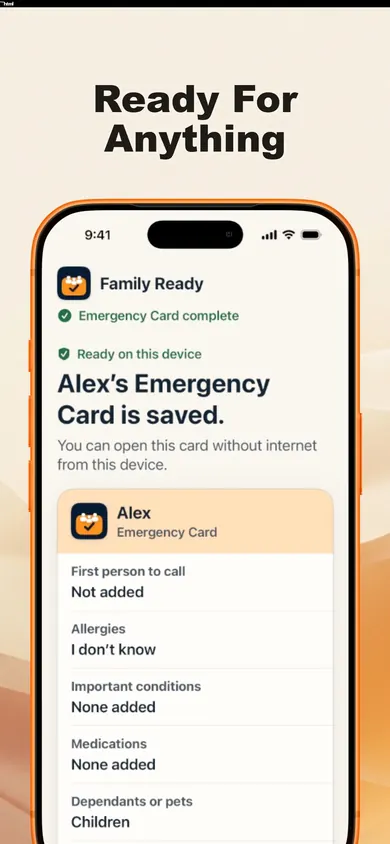
| Emergency Card | Who to call first, allergies, current medications, important health information |
| Contacts and health | The people and details a helper would ask for first |
| Documents, money and insurance | Where the papers are, not just that they exist |
| Home, dependants and pets | Who depends on you and what they need |
| Care instructions | How to help a person in your care day to day |
| Digital life and wishes | Things to review over time, at your pace |
A plan only helps if someone else can read it.
Inside Family Ready
How to make a family emergency plan in three sittings
- Ten minutes: the card. Answer six short questions for one person. Do your parent's card with them, at the kitchen table, with their permission.
- An afternoon: the kit. Work through the editable kit checklist, based on Ready.gov and Get Prepared (Canada) guidance, with optional sections for children, older adults, pets and rural homes.
- Later: the rest. Add documents, care instructions and wishes when you have the energy.
For the kit itself, Ready.gov's basic supply list (checked November 2026) suggests one gallon of water per person per day for several days, at least a several-day supply of non-perishable food, a flashlight, a first aid kit, extra batteries, and a phone charger with a backup battery. Write down where the kit lives, too.
Free vs Family Ready Plus
- Free: Emergency Card, Emergency Mode, offline access, household plan, kit checklist, local search, encrypted backup and restore, and a dated Emergency Snapshot PDF you can print.
- Plus (monthly or annual subscription): trusted-person invitations and permissions, household sync, guided reviews, important-date reminders, access drills, and printable packs such as Caregiver Handoff, Pet-Sitter and Doctor Visit.
If a subscription ends, your existing information stays available.
One design decision we made
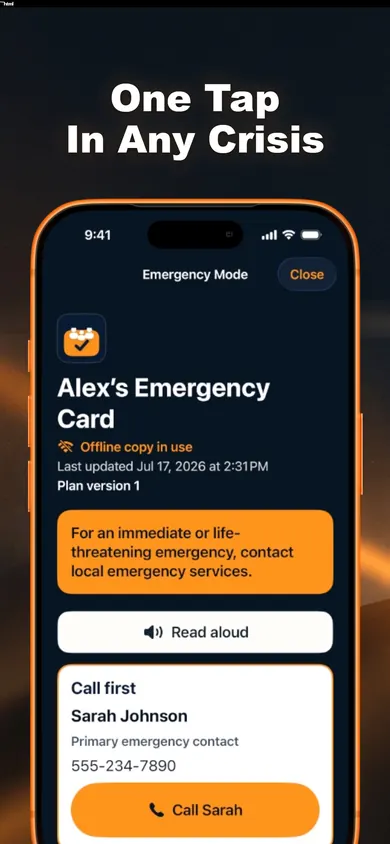
Emergency Mode has no ads, no pop-ups and no purchase prompts, and the app never calls or messages anyone on its own. In the worst five minutes of someone's year, the screen should only help.
Family emergency plan questions
What should a family emergency plan include?
At minimum: who to call first, allergies, current medications and important health information for each person, plus where key documents are kept and what is in your kit. Family Ready groups the rest into sections for contacts, health, documents, money and insurance, home, dependants and pets, care instructions, and digital life and wishes.
Is Family Ready free?
Yes for the core: the Emergency Card, Emergency Mode, offline access, the household plan, the kit checklist, encrypted backup and restore, and the Emergency Snapshot PDF. Family Ready Plus is a monthly or annual subscription that adds trusted-person invitations, household sync, guided reviews, date reminders, access drills and extra printable packs.
Does the Emergency Card work without internet?
Yes. It is saved on your iPhone and opens in Emergency Mode without internet once you are past the lock screen.
Can I make a plan for my parent?
Yes, with their permission. You can make an Emergency Card for yourself, a child, a parent, a partner or someone you care for.
Will Family Ready call 911 for me?
No. It never calls or messages anyone automatically, and it is not an emergency-response, medical or monitoring service. In Emergency Mode you tap a contact to start a call yourself. In an emergency, contact your local emergency number.
How often should I update a family emergency plan?
Pick a schedule you will keep. Family Ready offers a review every 3, 6 or 12 months. No account is needed to start, and the plan is stored encrypted on your device.
Make the first card tonight
One person, six questions, saved offline. Make the rest of the plan when you are ready.

Updated November 2026
More from Family Ready
- Emergency plan for single parents: the first weekWhen you are the only adult at home, the plan has to cover you being the emergency. A 7-day first-week plan for single parents, one small task a day.
- File of Life vs Medical ID, hour by hourA fridge packet, an iPhone Medical ID or an app card: one morning with an older parent shows where each works, where each fails, and why to keep two.
- Pet emergency kit checklist you can tick offA free pet emergency kit checklist from Ready.gov guidance: tick items, watch the ring fill, and see what is still missing for your dog or cat.
- How to teach kids your family emergency planTeach kids your family emergency plan in small pieces: one contact, two meeting places, one paper copy. Plus a 20-second drill to play tonight.
Related
- File of Life vs Medical ID, hour by hourA fridge packet, an iPhone Medical ID or an app card: one morning with an older parent shows where each works, where each fails, and why to keep two.
- Emergency plan for single parents: the first weekWhen you are the only adult at home, the plan has to cover you being the emergency. A 7-day first-week plan for single parents, one small task a day.
- Pet emergency kit checklist you can tick offA free pet emergency kit checklist from Ready.gov guidance: tick items, watch the ring fill, and see what is still missing for your dog or cat.
- How to teach kids your family emergency planTeach kids your family emergency plan in small pieces: one contact, two meeting places, one paper copy. Plus a 20-second drill to play tonight.