File of Life
Lives on the fridge
- Works with no phone, no battery, no signal
- Free from many local councils on aging
- Goes out of date quietly; nobody is reminded
- Useless once the person leaves the house
 Family Ready · for adult children
For adult children of older parents: which record works where, when someone else has to read it.
Choose the situation:
Tap one. Each answer is different, which is the point.
 Free on iPhone
Have both: the File of Life works at home when the phone is missing or dead, and iPhone Medical ID travels with them but only shows on a locked phone if Show When Locked is turned on. A third copy, on your own phone, covers the moment you are the one answering questions.
The File of Life (Concord, Massachusetts Council on Aging page) is a small, bright red, magnetic holder that hangs on the refrigerator, where emergency personnel look for it. It holds a medical history, a medication list and emergency contact information, and that council gives it out free. Apple's Medical ID guide describes how iPhone and Apple Watch can help provide first responders with information about you. The two were built for different rooms. Here is one morning that shows why.
An 81-year-old father slips reaching for the kettle. He can talk, but he is shaky and confused about which pills he took. His phone is charging in the bedroom.
They ask about medicines and allergies. He remembers two of five. On the fridge, under a grandchild's drawing, is a red File of Life with a list from three years ago.
Someone grabs his phone. It is locked. His Medical ID was set up when he bought the phone, but Show When Locked was never switched on.
She drove from forty minutes away. She has his current list, his cardiologist's name and his blood thinner on her own phone, because she typed them in last spring.
A nurse asks who will check on him tonight. The neighbor has a printed copy of his plan. The daughter has the up-to-date one. Nobody had all of it.
Every record worked somewhere. None of them worked everywhere.
Lives on the fridge
Lives on their phone
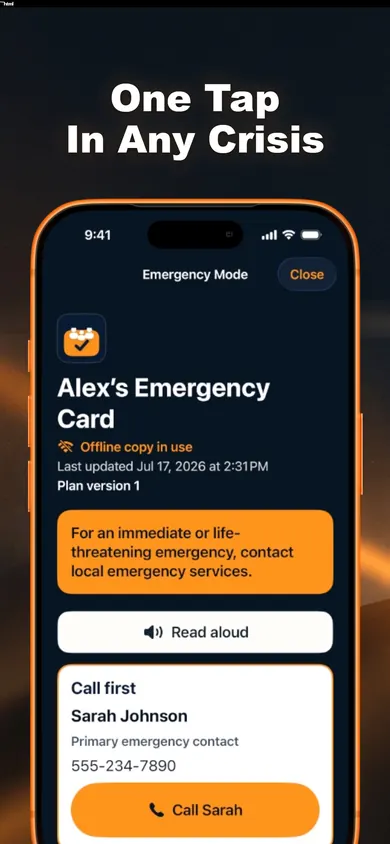
Lives on your phone (we make it)
The fridge is for strangers at the door; the phone is for strangers on the road; the app is for you.
Ready.gov's advice for older adults (last updated 2024) adds two things worth doing on the same visit: build a support network of family, friends and others who can help, and make copies of Medicaid, Medicare and other insurance cards.
No record checks itself. Every option here is only as current as the last time someone edited it. Family Ready can remind you on a 3, 6 or 12-month review schedule; paper cannot.
We do not know what your local crews check first. The File of Life fridge convention is local; ask your council on aging or fire department whether they hand them out where your parent lives.
Permission matters. Make a card for a parent with their permission. Some parents want to fill in their own; let them type and you hold the phone.
One design decision we made: Emergency Mode never shows ads, pop-ups or purchase prompts, and the Emergency Card never needs a subscription. In a hospital corridor, the screen should only show the card.
A small, bright red magnetic holder that hangs on the refrigerator and holds a medical history, a medication list and emergency contacts. Many local councils on aging and fire departments hand them out free; Concord, Massachusetts is one example.
Neither is better everywhere. Medical ID travels with the phone and can be shown from the Lock Screen if Show When Locked is turned on. The File of Life stays at home, where it works even when the phone is lost, dead or in another room. Most families who care for an older parent do well to keep both.
Only if Show When Locked is turned on in the Health app's Medical ID settings, as Apple's support guide explains. Check it on your parent's phone; it is easy to miss when the ID was set up years ago.
No. Family Ready's Emergency Card opens offline in Emergency Mode once someone is past the lock screen. It is designed for you or a trusted helper to open and read out, not for a stranger with a locked phone. That is why we suggest keeping Medical ID on and a printed copy on the fridge too.
Whenever a medicine changes, and at least on a regular schedule. Family Ready lets you pick a 3, 6 or 12-month review. A paper list should carry the date it was written, so anyone reading it knows how old it is.
Who to call first, allergies, current medicines, important conditions, and anyone who depends on them, such as a spouse or a pet. Ready.gov's older adults page also suggests copies of Medicare, Medicaid and other insurance cards.
Keep the fridge packet. Turn on Medical ID. Then put a current card on your own phone, for the moment you are the one asked.
Download free on the App Store
Updated November 2026